


Bottom line
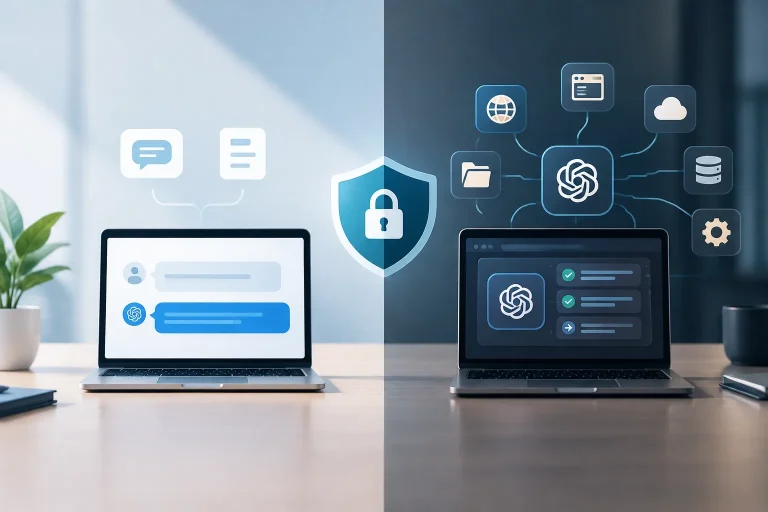
- ChatGPT Agent Mode is not completely safe or risk-free. It can access sensitive data and act through logged-in websites or connected apps, creating risks such as prompt injection, data exposure, and unintended actions. OpenAI includes safeguards such as confirmation prompts and isolation, so it can be used more safely with limited permissions and active supervision, but users should not treat it as fully trustworthy or leave sensitive tasks unattended.
- Use Agent Mode only for low-risk tasks, grant the minimum necessary access, and avoid passwords, financial information, highly sensitive files, and confidential business data unless the risk is explicitly acceptable.
- Keep the browser or task under active supervision, especially during logins, purchases, messages, or account changes, and approve sensitive actions yourself.
- Review connected apps, permissions, active sessions, and account changes after a task. Use available controls such as confirmation prompts and Lockdown Mode when disabling Agent Mode or live browsing is necessary.
ChatGPT Agent Mode is not completely safe or risk-free. It can access sensitive data and act through logged-in websites or connected apps, creating risks such as prompt injection, data exposure, and unintended actions.
OpenAI provides safeguards such as confirmation prompts, browser isolation, and supervision controls. These can make Agent Mode safer with limited permissions and active oversight, but they do not make it fully trustworthy or safe to leave unattended during sensitive tasks.
What ChatGPT Agent Mode can do
Agent Mode can browse websites, conduct multi-step research, use code and connectors, interact with authenticated services, and perform actions on your behalf. For a broader explanation of ChatGPT Agent Mode’s permissions and safe use, see ChatGPT Agent Mode permissions and security.
When authorized, it may work with emails, files, account settings, websites, and third-party services. Depending on the task, that can include researching information, navigating an account, uploading content, sending a message, making a purchase, booking something, or changing account data.
Why permissions increase the impact
A regular chatbot response usually requires you to complete the final action yourself. Agent Mode can interact with websites and services using permissions you have granted. A misunderstanding, malicious instruction, or incorrect model decision can therefore have consequences outside the chat.
Access to more accounts and data also increases the possible impact of an error. An agent that can read a file, view an email, or change an account setting has more opportunities to expose information or take an unwanted action than one limited to public research.
The main security and privacy risks
Prompt injection and malicious content
Prompt injection is a major risk for agentic systems. A webpage, uploaded file, hidden text, metadata, or other content encountered during a task may contain instructions designed to redirect the agent or conflict with your request.
This does not mean that every webpage or file will compromise a task. It means the agent cannot safely treat everything it encounters as a trustworthy instruction. Malicious content could attempt to influence what it reads, shares, uploads, or does next.
Data exposure and connected-account risk
Connecting an account can bring information available through that account into the agent’s workflow. Depending on the authorization, this may include private email, documents, account settings, websites, or third-party services.
Logged-in sessions and account permissions are therefore central to the risk. Authorization allows the agent to work, but it does not guarantee that every page, instruction, or model decision is safe.
Model mistakes and unintended actions
Agent Mode can misunderstand an instruction, misread a page, select the wrong item, or make an incorrect assumption. Because it can act through connected services, a mistake may result in an unintended purchase, message, upload, account change, or other harmful action. A structured review can start with AI agent threat modeling to map permissions, assets, and attack paths.
Treat tasks involving money, communications, sensitive files, permissions, or account changes as consequential. Some actions may be difficult or inconvenient to reverse, even when the original instruction seemed simple.
What not to share with ChatGPT Agent Mode
Use a conservative approach to information and access. Avoid giving Agent Mode:
- Passwords and authentication codes in agent messages.
- Financial information or unrestricted access to financial services.
- Highly sensitive personal information that is not necessary for the task.
- Confidential business files or customer data unless the risk has been explicitly assessed and accepted.
- Broad, unnecessary account or app access that lets the agent read, edit, delete, purchase, upload, or send more than the task requires.
For sensitive login steps, use browser takeover when available so you can enter credentials yourself through the browser workflow rather than placing them in an agent instruction. Logged-in sessions and cookies can still provide access, so sign out or remove sessions when appropriate after the task.
What safeguards OpenAI provides—and their limits
Agent Mode includes confirmation prompts before at least some consequential actions, Watch Mode for active supervision on designated sites, browser isolation, and controls to pause or stop a task. Some high-risk actions may also be restricted or refused.
Confirmation and supervision controls
Confirmation prompts give you an opportunity to approve a high-impact step instead of allowing every action to proceed automatically. Watch Mode and active supervision keep you involved during tasks that require closer attention.
These controls reduce risk, but they are not a complete security boundary. They do not guarantee that prompt injection will be detected, that a model interpretation will be correct, or that sensitive information cannot be exposed during an authorized workflow.
Pausing, stopping, and browser takeover
Pause or stop the task if its behavior becomes unexpected. Browser takeover can provide direct control for sensitive login steps when available. Use it to enter sensitive inputs yourself rather than placing them in agent messages.
When disabling Agent Mode or live browsing is necessary, use Lockdown Mode where available. Lockdown Mode is a control for restricting those capabilities; it should not be treated as eliminating every security or privacy risk.
Confirmation, Watch Mode, takeover, and refusal may not apply to every risky action. Do not assume that a dangerous step will always be blocked automatically.
Limits of the safeguards
Safeguards do not guarantee protection from successful prompt injections, privacy incidents, mistaken actions, or every other security risk. Isolation and browser controls should not be treated as eliminating every possible data leak. For broader data-protection measures, see preventing LLM data leakage.
How to use ChatGPT Agent Mode more safely
Limit permissions and sensitive inputs
- Use Agent Mode for lower-risk tasks where possible.
- Connect only the account, app, or service required for the specific task.
- Review and remove connections that are no longer necessary.
- Do not enter passwords directly into agent messages.
- Avoid highly sensitive files, financial information, or confidential business data unless the risk is explicitly acceptable.
- Give precise instructions that state what the agent must not edit, delete, purchase, upload, or send.
Supervise consequential work
Stay present during logins, purchases, bookings, messages, uploads, account changes, and other consequential tasks. Approve sensitive actions yourself instead of leaving the workflow unattended.
After a task, review:
- Connected apps and account permissions
- Active sessions
- Messages, uploads, purchases, and account changes
- Files and information the agent accessed or handled
If the result is unexpected, stop or pause the task first. Then inspect the affected service, review permissions and account activity, sign out of affected services where appropriate, and secure any account that may have been exposed.
Lower-risk versus higher-risk tasks
No category is guaranteed to be safe. Sensitivity, reversibility, and the level of access required are practical ways to decide how much supervision is appropriate.
| Comparatively lower-risk | Higher-consequence |
|---|---|
| Information gathering and ordinary research | Purchases, bookings, and financial actions |
| Summarizing publicly available information | Sending messages or submitting forms |
| Non-sensitive browsing with limited access | Uploading files or changing account settings |
| Tasks that do not modify accounts or data | Deleting, editing, or moving data |
Information gathering is comparatively lower risk, not risk-free. It can become sensitive if the agent has access to private accounts or files. Higher-consequence tasks should receive direct supervision and explicit approval at critical steps. For a structured way to compare task sensitivity and impact, see AI agent risk assessment.
Privacy, sessions, and auditability
The central privacy question is what Agent Mode can reach during an authorized task. Email, files, websites, connected apps, browsing activity, and screenshots can all become relevant to the workflow. Limit access to what is necessary and avoid highly sensitive tasks unless you have assessed the risk.
Chats, agent browsing history, and screenshots remain until deletion, with deleted chats and associated screenshots removed from systems within 90 days. Authorized personnel and trusted providers may access agent content for specified purposes. Review the policy details that apply to your account and plan, but do not treat them as a substitute for limiting sensitive data.
Business data is not used for model training by default. Consumer model-improvement controls can differ, so review the applicable settings rather than assuming that conversations, screenshots, or connected-app data are handled identically across account types.
There is also an accountability issue: actions performed with your credentials may be difficult to distinguish from human actions in system logs. After an important task, inspect the service’s activity, permissions, sessions, and account changes rather than relying only on the chat transcript.
Enterprise controls and governance
Organizations need more than individual user caution. Enterprise deployments can use controls such as connector governance, role-based access, app and domain restrictions, and Compliance API monitoring where supported. The role-based approach is explained in role-based access control for AI agents.
Traditional security tools may not fully reveal what an agent does inside a connected service or through API-level actions. Firewalls, secure web gateways, data-loss prevention, and cloud-access security tools should not be assumed to provide complete visibility into agent behavior. Organizations should apply least privilege, restrict unnecessary connectors, monitor activity, and define which tasks require human approval. Organizations can use an AI agent security checklist to structure these controls.
What to do after unexpected or harmful behavior
- Stop or pause the task as soon as the behavior appears unexpected.
- Inspect the affected service for messages, purchases, uploads, edits, deletions, or other changes.
- Review permissions and connected apps, and remove access that is no longer needed.
- Check active sessions and sign out where appropriate.
- Secure affected accounts if credentials, private data, or account settings may have been exposed.
Stopping access may not reverse every consequence, but it limits continued access and helps identify what the agent actually did.
Availability, naming, and scope
Availability and product naming may change by account and plan. Official ChatGPT Agent Mode is distinct from an unrelated “ChatGPT mod”; the safety of such a modification cannot be inferred from Agent Mode’s safeguards.
Is ChatGPT Agent Mode safe overall?
ChatGPT Agent Mode is safer with limited permissions and active supervision, but it is not fully safe or risk-free. Its ability to browse, use authenticated services, access connected data, and act on your behalf creates risks that ordinary read-only assistance does not.
Use it for lower-risk tasks where possible, supervise anything involving logins or consequential actions, avoid passwords and unnecessary sensitive data in agent messages, and review permissions, sessions, and completed actions afterward. The practical rule is simple: do not leave sensitive workflows unattended.